Seoul Navigation & Travel Apps Guide (2026): How to Navigate Seoul Without Google Maps (Naver Map, Kakao T, Papago & Catchtable Hacks)
Published on July 30, 2026 by Seoulite Post Editorial Team
As a local living in Seoul, one of the most frequent panic texts I get from visiting friends sounds something like this: "Why is Google Maps taking me to a dead end?" or "Why can't I get walking directions in Myeongdong?"
It is a rite of passage for almost every traveler stepping out of Incheon International Airport. South Korea is one of the most technologically advanced digital landscapes in the world, yet Google Maps feels surprisingly broken here. The reason is not a lack of infrastructure—it is national spatial security legislation that restricts high-resolution mapping data from leaving domestic servers.
To travel Seoul like a true local, you simply need to download the exact 5-app digital survival stack used by millions of Seoulites every day. In this comprehensive 2026 guide, I will walk you through setting up Naver Map, Kakao T, Papago, and Catchtable Global step-by-step, along with essential connectivity and battery hacks to keep your phone running smoothly all day.
1. Why Google Maps Doesn't Work Well in Korea & The Local Solution
If you rely solely on Google Maps while walking through the narrow historic alleys of Ikseon-dong or trying to navigate subway transfers at Express Bus Terminal Station, you will quickly hit a wall.
Spatial Security Regulations & Mapping Restrictions
South Korea maintains strict spatial data protection laws. Because high-precision geographic data cannot be stored on foreign cloud servers, Google Maps cannot provide full turn-by-turn walking navigation or real-time local transit routing. While Google Maps can show basic pin locations, its route calculation is often inaccurate or entirely disabled.
The Essential Foreigner App Checklist
Before boarding your flight to Incheon Airport (ICN) or Gimpo Airport (GMP), make sure you download these five free applications from the Apple App Store or Google Play Store:
- Naver Map (네이버 지도): Your primary navigation, transit, and walking route app.
- Kakao T (카카오 T): The indisputable #1 taxi hailing and ride service in Korea.
- Papago (파파고): Naver’s neural machine translation engine for menus, signs, and conversations.
- Catchtable Global (캐치테이블): Foreigner-friendly restaurant reservation and waiting kiosk app.
- Subway Korea (지하철): A dedicated offline subway route map with exit and transfer timing.
2. Naver Map vs. KakaoMap: Master Seoul Transit & Walking Directions
Naver Map is the undisputed king of navigation in South Korea. Whether you are searching for a hidden speakeasy cafe in Seongsu-dong or checking which subway car gets you closest to your transfer line at Gangnam Station, Naver Map delivers second-by-second precision.

(Photo: Source - Naver Map Official Application Asset)
How to Change Language Settings to English & Save Favorite Spots
Upon opening Naver Map for the first time, the app usually defaults to your smartphone's system language. If it appears in Korean, follow these quick steps:
- Tap the Menu icon (≡) in the upper left corner.
- Select Settings (설정) -> Language (언어).
- Switch to English (Simplified Chinese and Japanese are also supported).
Local Pro Tip: Always copy and paste the official Korean address or phone number into the search bar alongside the English name. Many small local eateries in Hongdae or Euljiro may not have updated their English business names, but searching their phone number will instantly pinpoint their exact location.
Subway & Bus Real-Time Arrival Hacks
Seoul’s public transportation system is world-class, and Naver Map integrates directly with Seoul Metropolitan Government's real-time transit data.
- Fast Transfer Information: When you search a subway route, Naver Map tells you the exact train car number (e.g., Car 3-4) to stand in for the fastest transfer between lines.
- Subway Exit Numbers: Seoul subway stations are massive underground complexes with up to 14 different exits. Naver Map lists which exit number features escalators, elevators, or closest proximity to your destination.
- Real-Time Bus GPS: City buses in Seoul display real-time arrival counts down to the exact number of stops remaining (e.g., 2 stops away [Crowded]).
Walking Directions & Underground Mall Navigation Tips
Walking through Seoul’s hilly neighborhoods like Itaewon or Bukchon Hanok Village requires active GPS tracking. Naver Map’s walking tab displays elevation changes and step-by-step compass directions. When walking through massive underground networks like Goto Mall or COEX Mall, keep your phone's Wi-Fi enabled—Naver Map uses indoor Wi-Fi triangulation to track your position even underground.
3. Kakao T: Hailing Taxis in Seoul as a Foreigner Without a Korean Phone Number
Finding a street-hailing taxi in popular nightlife zones like Hongdae, Gangnam, or Itaewon after midnight can be nearly impossible. Drivers often have pre-booked fares via apps. Downloading Kakao T ensures you can book a clean, safe ride anywhere in the country.

(Photo: Source - Kakao Mobility & Platform Official Asset)
Setting Up Overseas Credit Card Payments in Kakao T
Historically, Kakao T required a Korean phone number and domestic bank card. Fortunately, Kakao T updated its platform to welcome international visitors.
- Open Kakao T and register using your international phone number or Apple/Google ID.
- Navigate to My Info -> Payment Method Management.
- Select Add Credit/Debit Card and register your foreign Visa, Mastercard, or JCB card.
- When requesting a ride, choose Venti or Standard Taxi and select Pay via Driver (Direct Payment) if your foreign card encounters a temporary payment gateway authorization glitch.
Calling Standard vs. Venti Taxis & Communication Tips
When booking a taxi through Kakao T, you will see several vehicle options:
- Standard Taxi (중형): Regular sedan. Seats up to 4 passengers with standard luggage.
- Kakao T Blue (블루): Automatic dispatch without driver rejection. Great during peak rain or rush hours.
- Kakao T Venti (벤티): Large multi-passenger van (Hyundai Staria or Kia Carnival). Perfect for groups of 3–5 travelers with heavy airport luggage.
Local Safety Hack: Late-night street taxis displaying a glowing red LED sign that reads "빈차" (Empty Car) are available for street hailing. If the sign reads "예약" (Reserved) in blue, the driver is currently en route to a Kakao T booking.
4. Papago: Instant Camera & Voice Translation for Menus and Street Signs
While Google Translate has improved over the years, it frequently struggles with Korean honorifics, colloquial food names, and contextual nuance. Developed by Naver, Papago is tailored specifically for the Korean language.

(Photo: Source - Naver Papago Official Application Interface)
Real-Time Menu & Street Sign Photo Translation Hacks
When entering a traditional Korean restaurant in Gwangjang Market or an authentic Hanbok rental shop, menus may be written entirely in handwritten Hangeul.
- Open Papago and tap the Camera icon.
- Point your phone lens at the menu or street sign.
- Papago overlays clear English text directly over the original layout while preserving dish prices and titles.
- Use the Select Text tool to isolate specific dish descriptions for deeper translation.
Voice Conversation Mode for Pharmacy & Taxi Interactions
If you need to purchase over-the-counter medicine at a local pharmacy (약국) or communicate specific drop-off instructions to a taxi driver, use Papago’s Voice Conversation Mode. Speak in English into your smartphone microphone, and Papago will instantly play a crisp, grammatically natural Korean audio translation for the listener.
5. Catchtable Global & Tabling: Booking Popular Restaurants Without a Local Number
When I visited Seongsu-dong last weekend, popular bakery cafes and trendy pork belly (Samgyeopsal) restaurants had physical waiting queues exceeding 90 minutes. In Korea, restaurants rarely use physical paper sign-up sheets anymore—they use digital touchscreen kiosks at the entrance.
Reserving Seongsu & Hongdae Hotspots via Global Apps
Catchtable Global is a game-changer for foreign travelers. Unlike the domestic version which required a Korean mobile number and Resident Registration Number, Catchtable Global allows international foodies to book tables at top fine dining and viral Michelin Bib Gourmand spots using an international phone number or email address.
- Browse curated lists by neighborhood (Gangnam, Myeongdong, Seongsu, Itaewon).
- View official English menus with exact prices before booking.
- Pay deposit fees seamlessly using international credit cards.
On-Site Kiosk Waiting Hacks
If you arrive at a popular walk-in restaurant with a waiting kiosk by the door:
- Check if the kiosk supports an English Language Toggle (top right corner of the tablet screen).
- Input your International Country Code + Mobile Number or register your Email Address.
- You will receive an instant notification when your table is 3rd in line, allowing you to browse nearby shops instead of waiting on the sidewalk.
6. Essential Tech Accessories & Connectivity Hacks for Seamless Navigation
Using high-precision GPS navigation, real-time camera translation, and taxi apps all day will drain your smartphone battery and cellular data faster than usual. Staying connected with ultra-fast 5G data and reliable backup power is non-negotiable.
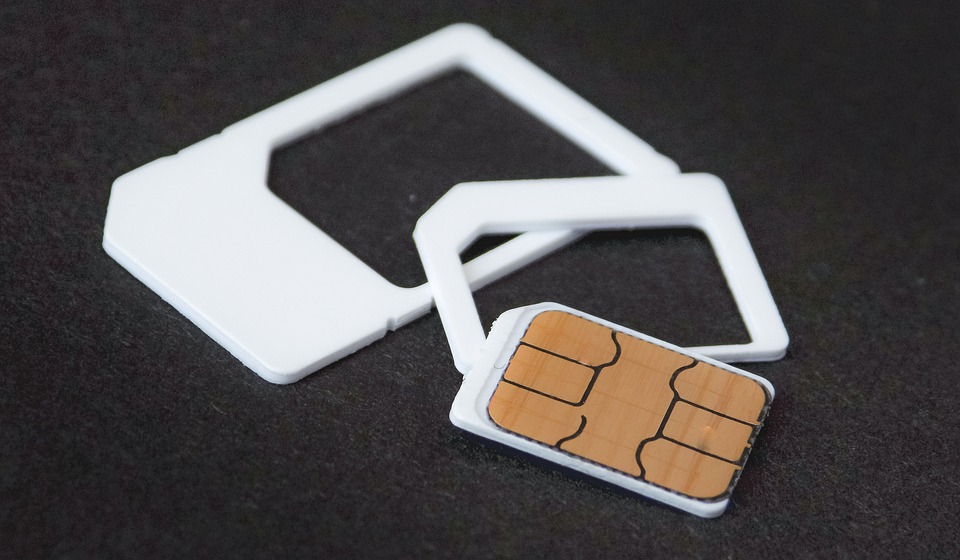
(Photo: Source - Official Mobile Connectivity & SIM Tech Asset)
Fast 5G eSIM vs. Physical SIM Card Setup
Having instant mobile data upon landing at Incheon Airport makes navigating your first subway transfer stress-free.
- eSIM (Recommended): No need to swap physical SIM cards or risk losing your home SIM pin. You can book an unlimited South Korea 5G eSIM on Klook before departure, scan the QR code setup profile, and activate high-speed data the moment your plane touches down.
- Airport Express & SIM Pickups: If you prefer physical SIM cards or airport express train transfers, pre-ordering an AREX Incheon Airport Express Ticket & SIM Combo saves up to 30% compared to airport counter rates.
Power Banks & Korea Plug Adapter Essentials
Seoul is a fast-paced city where you will be out exploring from morning coffee to late-night Hangang River picnics.
(Photo: Source - Coupang Product Official Image)
- MagSafe & Fast Charging Power Bank (10,000mAh+): Navigation apps run continuous background GPS tracking. Keeping a lightweight 15W MagSafe magnetic power bank snapped to your smartphone keeps your battery full without messy charging cables in your pocket. You can Check Power Bank Deals on Coupang.
(Photo: Source - Coupang Product Official Image)
- Korea Type F Plug Adapter (220V, 50Hz): South Korea utilizes Type F power outlets with two round prongs (4.8mm diameter). Ensure you pack a universal travel adapter plug to charge your laptops, cameras, and power banks safely in hotel rooms. You can Check Travel Adapter Prices on Coupang.
7. Frequently Asked Questions (FAQ)
Q1: Can I use Google Maps at all in Seoul?
You can open Google Maps to view saved pins or search basic place names. However, walking directions will not work, and transit routes are often delayed or incomplete. We strongly recommend relying on Naver Map for all daily navigation in South Korea.
Q2: Do I need a Korean phone number to use Kakao T?
No. Kakao T supports registration via international mobile numbers and allows payments using foreign Visa, Mastercard, and JCB credit cards. If your card experiences an authorization issue, simply select the "Pay Driver Directly" option inside the app.
Q3: Is free public Wi-Fi readily available in Seoul?
Yes! Seoul features widespread free public Wi-Fi networks in subway stations, city buses, public parks, and major tourist districts (Network Name: SEOUL_Public_WiFi). However, for uninterrupted real-time navigation and security, having a dedicated 5G eSIM or pocket Wi-Fi is highly recommended.
Final Thoughts for Your Seoul Tech Survival Pack
Navigating Seoul without Google Maps may feel intimidating for your first hour in the city, but downloading Naver Map, Kakao T, Papago, and Catchtable Global transforms your trip into a seamless, local-level experience. With high-speed 5G connectivity and a trusty portable power bank in your bag, you are fully equipped to explore every corner of Korea's vibrant capital.
Got questions about transit cards, app setups, or local travel hacks? Drop a comment below, and enjoy your journey through Seoul!
*Affiliate Disclosure: This guide contains trusted partner affiliate links. If you book an eSIM or purchase essential tech accessories through these links, Seoulite Post may earn a small commission at no additional cost to you. | 이 포스팅은 쿠팡 파트너스 활동의 일환으로, 이에 따른 일정액의 수수료를 제공받습니다.*


